What Does Telematics Mean?
Telematics refers to the use of telecommunications and computer-based information systems to gather, send, and interpret data from vehicles and other mobile assets. In everyday use, the term describes a connected system that links a vehicle to software for monitoring operations, performance, and condition.
A blend of telecommunications and informatics, telematics is most often associated with vehicle tracking, fleet management, and connected vehicle technology. Across transportation and logistics, the concept matters because vehicles constantly produce operational data that can be turned into useful business insight.
Because of that role, telematics is often mentioned alongside GPS tracking, IoT, fleet software, predictive maintenance, and connected cars. With the definition in place, the next step is understanding how the system works.
How Does Telematics Work?
Behind every telematics system is a simple process: collect vehicle data, transmit it through a network, and display it in software for analysis. Most setups begin with a device installed in or connected to the vehicle, usually through the OBD-II or CAN-bus port.
Often called a Telematics Control Unit (TCU) or black box, this device gathers information through hardware such as a GPS receiver, modem, SIM card, accelerometer, and engine interface. Once collected, the information moves to a cloud or centralized server, where software converts it into dashboards, alerts, reports, and performance metrics.
For a beginner, the process looks like this:
- Vehicle systems and sensors generate data during operation.
- A telematics device reads that data through the vehicle interface.
- GPS and motion sensors add route and movement details.
- A modem or SIM card sends the data through a cellular or satellite network.
- Cloud software stores, interprets, and visualizes the information.
Seen that way, telematics becomes much easier to understand. From there, the next logical question is what parts make the whole system work.
What Are the Main Components of a Telematics System?
Telematics systems include more than a tracking device. Hardware, connectivity, and software all work together to turn raw vehicle activity into usable information.
Telematics Device or Black Box
At the center of the setup is the telematics device installed in the vehicle. This unit gathers raw information and manages data transmission, which is why it is often described as the brain of the system.
GPS Receiver
Location tracking depends on the GPS receiver. Route history, trip tracking, and movement visibility all start with this component.
OBD-II or CAN-Bus Connection
Access to engine and vehicle-generated data comes through the OBD-II or CAN-bus connection. Fault codes, engine performance details, and operating conditions become visible through this interface.
SIM Card and Wireless Network
Wireless communication happens through a SIM card, modem, or similar onboard communication component. Using cellular or satellite networks, the system sends collected information from the vehicle to cloud-based software.
Sensors and Accelerometer
Motion-based insight comes from sensors and accelerometers. Harsh braking, rapid acceleration, impact events, and similar driving patterns can all be detected through these inputs.
Fleet or Telematics Software
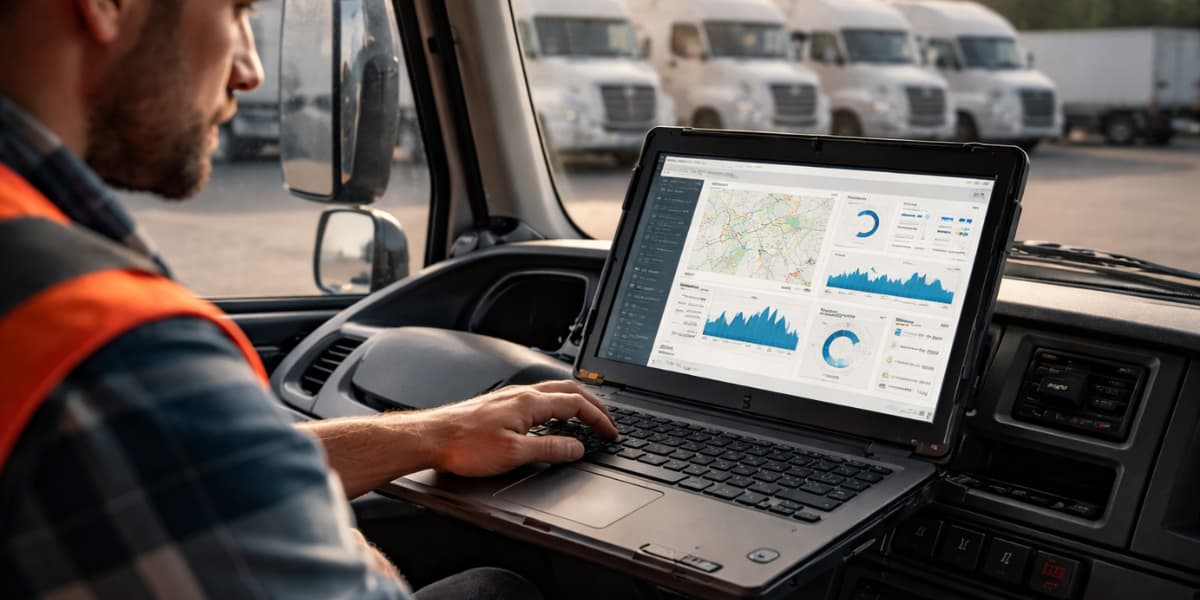
Users interact mainly with the software layer rather than the hardware itself. Dashboards, alerts, maps, reports, and analytics all sit here, turning raw signals into understandable business insight.
Together, these components create the full telematics environment. Once the structure is clear, it makes sense to look at the actual data being collected.
What Data Does Telematics Collect?
Vehicle telematics can collect both movement-related data and condition-related data. Exact data points vary by device, sensor configuration, software platform, and vehicle compatibility, but several categories appear in almost every telematics system.
Location and Route Data
Current position, route history, trip distance, and travel time fall into this category. With that information, businesses can see where a vehicle is, where it has been, and how efficiently it is moving.
Driver Behavior Data
Driving behavior data includes events such as speeding, harsh braking, and sudden acceleration. Depending on the system, safety-related indicators like seat belt use or aggressive cornering may also be included.
Vehicle Health and Diagnostic Data
Engine fault codes, warning light information, battery voltage, and similar signals provide a picture of vehicle health. Maintenance teams use this information to spot problems early and reduce the risk of breakdowns.
Fuel Usage and Idling Data
Fuel consumption and idling time are important because both directly affect operating costs. Better visibility into those numbers helps reduce waste and improve efficiency over time.
Time, Trip, and Utilization Data
Trip duration, start times, stop times, and total vehicle utilization also form an important part of telematics reporting. Dispatching, payroll checks, productivity analysis, and asset planning often depend on this category of data.
Clearly, telematics collects much more than simple map-based location data. That distinction becomes even easier to grasp when comparing telematics with GPS directly.
What Is the Difference Between Telematics and GPS?
GPS and telematics are closely related, but they are not the same thing. GPS focuses mainly on location, while telematics combines location data with diagnostics, communication, analytics, and reporting.
| Feature | GPS | Telematics |
| Basic purpose | Determines location and movement | Collects, transmits, and analyzes vehicle and asset data |
| Main data type | Position, route, speed | Location plus diagnostics, idling, fuel, faults, behavior, and trip data |
| Connectivity role | May support navigation or tracking | Uses wireless networks to send data to central software |
| Vehicle insight level | Limited | High, because it includes operational and mechanical data |
| Typical output | Map position and route history | Dashboards, alerts, reports, coaching, maintenance insight |
| Common use cases | Navigation and basic tracking | Fleet management, insurance telematics, compliance, maintenance, connected vehicles |
In simple terms, GPS is one part of telematics rather than a replacement for it. Location tells you where a vehicle is, but telematics adds the surrounding context that explains behavior, condition, and performance.
From there, another beginner question naturally follows: where is telematics actually used?
Where Is Telematics Used?
Telematics is widely used in commercial fleets, passenger vehicles, logistics, insurance, construction, public sector operations, and connected mobility systems. Although fleet operations remain the most visible use case, telematics now extends far beyond trucking and service vehicles.
Commercial fleets use it for dispatching, tracking, maintenance, compliance, safety, and productivity. Insurance companies apply telematics to usage-based pricing models, where driving behavior such as speed, braking, and travel patterns influences risk assessment.
Connected vehicles and smart mobility systems also depend increasingly on telematics. As more automakers embed telematics at the OEM level, vehicle connectivity is becoming a standard feature instead of only an aftermarket solution.
Such broad adoption explains why telematics delivers value in many different ways. A closer look at the benefits makes that clearer.
What Are the Benefits of Telematics?
Greater visibility is the core advantage of telematics. Once businesses and vehicle owners can see what is happening in real time and over time, they can make smarter operational and safety decisions.
Key Benefits of Telematics
- Improves real-time visibility: Managers and owners can track where vehicles are, how they are being used, and what events are happening across operations.
- Enhances driver safety: Speeding, harsh braking, and other risky driving behaviors become easier to identify and address.
- Reduces fuel and operating costs: Unnecessary idling, poor routing, and wasted mileage can be detected and reduced.
- Supports preventive maintenance: Diagnostic alerts and fault codes help teams fix issues before they turn into larger breakdowns.
- Increases route and dispatch efficiency: Real-time data allows faster dispatch decisions and better route adjustments.
- Helps with compliance and reporting: Inspection workflows, operational records, and compliance-related reporting become easier to manage.
- Improves sustainability: Lower idling, better routing, and smarter vehicle use can reduce emissions and improve overall efficiency.
Those benefits explain why telematics adoption continues to grow across industries. Even so, a complete guide should also cover the practical limitations.
What Are the Challenges or Limitations of Telematics?
No telematics system is completely friction-free. Value depends heavily on implementation quality, user adoption, network reliability, and the ability to convert data into action.
Common Challenges and Limitations
- Privacy and data security concerns: Driver and vehicle data can be sensitive, so clear policies and strong safeguards are necessary.
- Initial setup and hardware costs: Devices, installation, and subscriptions can create a noticeable up-front investment.
- Data overload and reporting complexity: Large volumes of data can overwhelm teams that lack clear reporting priorities.
- Connectivity limitations in remote areas: Weak signal coverage may reduce update speed or affect data consistency.
- Driver resistance or adoption issues: Continuous monitoring can create concern if the rollout is not communicated properly.
- Integration challenges: Linking telematics with dash cams, business platforms, route software, or compliance systems may require additional planning.
None of these limitations erase the benefits of telematics, but they do show why proper deployment matters. That point becomes even more important in fleet management.
How Is Telematics Used in Fleet Management?
Fleet management is one of the most established uses of telematics. Real-time vehicle visibility, driver monitoring, dispatch support, maintenance tracking, and cost control all become easier when telematics is part of the operation.
Fleet managers can see which vehicle is closest to a job, which units are idling too long, which vehicles show fault codes, and which routes are producing delays. Daily operations become more efficient because decisions are based on live data rather than guesswork.
Modern fleet workflows also connect telematics with dash cams, electronic logging, route optimization, remote diagnostics, and time-based reporting. For that reason, telematics is often treated as the operational data foundation of fleet management rather than just an add-on tracking tool.
Beyond fleet operations, telematics is also reshaping how connected vehicles function in the broader mobility ecosystem.
How Is Telematics Changing Connected Vehicles?
Connected vehicles rely on telematics to become smarter, more responsive, and more integrated with digital systems. Embedded telematics from OEMs is pushing vehicle connectivity toward becoming a default capability instead of an optional feature.
At the same time, telematics works naturally with IoT, predictive analytics, AI, and faster wireless networks such as 5G. Future mobility systems, including vehicle-to-vehicle and vehicle-to-infrastructure communication, are expected to depend heavily on these connected data flows.
For beginners, the takeaway is straightforward: telematics helps transform vehicles from isolated machines into connected data sources. Software, infrastructure, and operational systems all benefit from that shift.
What Should Beginners Look for in a Telematics System?
Choosing a telematics platform becomes easier when the decision is treated like a checklist instead of a simple price comparison. Goals, vehicle type, data needs, and long-term use all shape what the right system looks like.
Beginner Checklist for Choosing a Telematics System
Step 1: Define Your Tracking or Monitoring Goals
Start with a clear purpose. Safety improvement, basic location tracking, fuel reduction, maintenance visibility, and compliance support all require slightly different features.
Step 2: Check the Type of Data You Need
Some telematics systems only provide basic map-based tracking, while others include diagnostics, behavior monitoring, and utilization analysis. The right choice depends on how deep you need the insight to go.
Step 3: Evaluate Hardware Compatibility
Vehicle compatibility should be reviewed early. OBD-II, CAN-bus, OEM connectivity, and aftermarket devices do not all provide the same level of access.
Step 4: Review Software Dashboard and Ease of Use
Usability matters as much as raw data collection. Clear dashboards, readable reports, and simple alert systems make telematics more useful on a daily basis.
Step 5: Compare Alerts, Reports, and Integrations
Better systems do more than collect data. Useful alerts, strong reporting, and integrations with cameras, ELDs, route tools, or other business software make the platform far more practical.
Step 6: Assess Support, Scalability, and Pricing
Long-term value depends on more than the monthly fee. Reliable support, the ability to scale, and pricing that matches your needs usually matter more than choosing the cheapest option available.
A beginner-friendly system should help you act on data, not just collect it. With that practical view in place, a few common questions are worth answering directly.
Final Thoughts
Telematics goes far beyond basic vehicle tracking. GPS, diagnostics, sensors, connectivity, and software all come together in one system to turn vehicle activity into usable insight.
For beginners, the most important point is easy to remember: telematics answers three questions at once – where a vehicle is, how it is being used, and what condition it is in. Once that idea is clear, the rest of the topic becomes much easier to understand.